Skip to content
Cam2Cam.io logoCam2Cam.io Start cam2cam

Camera to camera · adults 18+

Cam2cam video chat: you see them, they see you

Press start and a stranger’s camera opens on your screen while yours opens on theirs. Talk for a minute or for an hour. When it stops being fun, tap Next.

  • No sign-up form
  • Runs in your browser
  • Next whenever you like
MaliK from Argentina on a cam2cam video callMaliK · Argentina

What is cam2cam? Two cameras, one conversation

Cam2cam (short for camera to camera, also written cam to cam, cam 2 cam or camtocam) is a live video chat in which both people have their webcams on at the same time, so each person sees and hears the other. On Cam2Cam.io that call is one to one: you and a single stranger, matched at random, in a browser tab.

The word gets used loosely online. Some sites say cam2cam when they mean a stream you watch, where the person broadcasting only sees you if you pay to switch your camera on. Others use it for an ordinary video call with friends. Here it means something narrower. The four cards below compare the formats on the one question that matters most: who can see whom?

  • Cam2cam on Cam2Cam.io

    You see them: yes They see you: yes

    One stranger, matched at random

    Both cameras belong to the call from the moment it connects. Two people, one conversation.

  • One-way cam stream

    You see them: yes They see you: no

    One host, many viewers

    You watch, they broadcast. Turning your own camera on, where a site allows it at all, is an extra.

  • Video call app

    You see them: yes They see you: yes

    People already in your contacts

    Perfect for family and friends. You need their number or username before anything happens.

  • Text random chat

    You see them: no They see you: no

    A stranger, matched at random

    Quick and anonymous, but you never find out what the other person looks or sounds like.

So when people search for cam2cam, cam 2 cam or a free cam to cam chat, they are usually after the first card: a real two-way conversation with someone new, with no profile to fill in and no audience in the room. That is what the start button does.

Who might be on the other camera

Why two cameras change the conversation

Illustration: a split-screen video call on a laptop, a woman laughing over a mug on one side and a man hugging his dog on the other

Put a face on both ends of a call and people behave differently. It is harder to be rude to someone who is looking straight at you, and much easier to be kind, because you can see the moment a joke lands or a question goes slightly too far.

Small talk works better too. On a text chat with a stranger, the first five messages are almost always the same: where are you from, how old are you, what are you doing. On a cam to cam call, the room behind each of you does that work for you: a guitar on the wall, a half-eaten dinner, a dog that refuses to leave the frame. Conversations start from whatever is in view, which is usually far more interesting than a list of questions. Match with someone eight time zones away and it is breakfast on their side of the screen, you can hear a kettle or a tram outside their window, and before either of you has asked a single question there are already three things to talk about.

Then there is trust. When only one side is on camera, the other side is a blank square, and nobody quite knows who is there, which is exactly the imbalance a cam2cam call removes. You both show up. You both get to decide, within the first few seconds, whether you want to keep talking.

Plenty of people use a two-way camera to practise a language with someone who actually speaks it, since watching a mouth form the words helps more than any app. Someone who has done two years of Spanish on a phone often finds that ten minutes with a person in Buenos Aires who laughs, slows down and says the word again teaches more about how the language really sounds than a whole month of flashcards did. Others simply want company on a quiet evening. Some want to hear an accent from a country they have never visited. None of that requires a performer, a subscription to anyone or a crowd. It needs two cameras, two people, and a way out when it is not working.

There is also something quietly old-fashioned about it. Before profiles, ratings and swiping, the way you met a stranger was to stand in the same room, look at each other and decide in a few seconds whether the conversation was worth having, and a cam to cam call puts that ordinary, slightly awkward, very human moment back at the centre of things instead of hiding it behind a photo you chose on a good day.


What happens after you press Start cam2cam

Five stages, usually under a minute. Your camera stays off until your browser asks for it and you say yes.

  1. 1

    A guest seat is set up for you

    There is no form to fill in. The moment you arrive, a guest session is created quietly in the background, which is why the button can take you straight to matching. A login is optional. Add one later if you want your messages on another device.

  2. 2

    The match screen opens

    Nothing has been shared at this point. Nobody can see you yet. Your browser has not asked for anything. You can still turn around and leave.

  3. 3

    Your browser asks two questions

    Camera? Microphone? Cam2cam needs both. Allow both. On a laptop the prompt drops from the address bar; on a phone it usually slides up from the bottom of the screen, and if you tapped no by accident the fixes for every browser are a little further down this page.

  4. 4

    A stranger’s camera opens

    Their picture fills the screen. Yours sits in a small window in the corner. You appear to each other at the same moment. Somebody has to say hello first. It might as well be you.

  5. 5

    Talk, tap Next, or hang up

    Next unlocks after a short countdown on every call, so nobody gets skipped in the first half-second. Hang up is there the whole time. And if the conversation was a good one, send a message so it can carry on another evening.

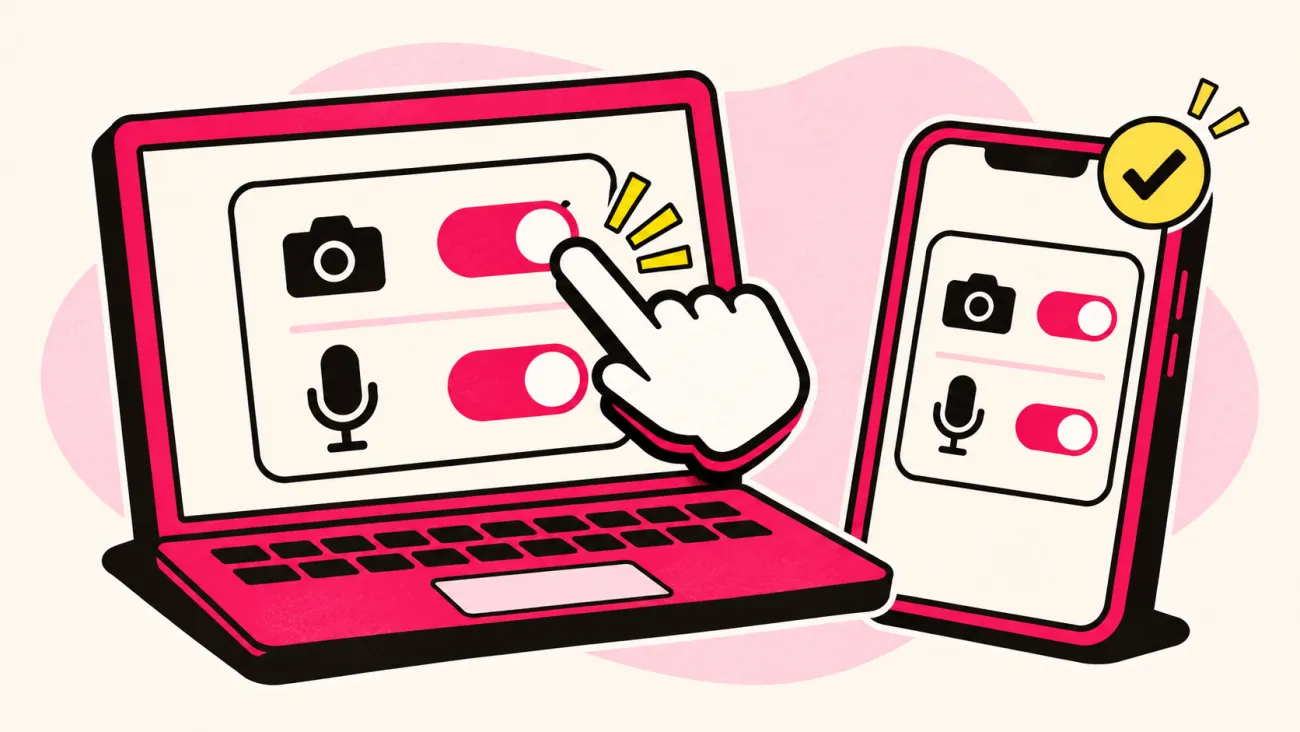
Camera or microphone not working? Fixes by device

Nine times out of ten the problem is a permission that was refused, or another app hanging on to the camera, so find your device below and work through the steps in order before trying anything drastic.

Illustration: camera and microphone permission switches turned on in a browser on a laptop and on a phone

Chrome or Edge on a computer

Click the small icon to the left of the web address, set Camera and Microphone to Allow for cam2cam.io. Reload. Picture still black? Close Zoom, Teams, FaceTime or anything else that might be holding the camera; most laptops let only one app use it at a time.

Safari on an iPhone or iPad

Tap the page menu in the address bar, open Website Settings and set Camera and Microphone to Allow; if Safari never asked in the first place, look in the iPhone’s Settings under Safari, where Camera and Microphone should say Ask or Allow.

Chrome on Android

Tap the icon to the left of the address, open Permissions, and allow both. Switches greyed out? Then Chrome itself has been denied access: Settings, then Apps, then Chrome, then Permissions.

Firefox, or any browser on a Mac

In Firefox, click the crossed-out camera in the address bar to clear the block and reload. On a Mac, also open System Settings, Privacy and Security, Camera, and make sure your browser has a tick there and under Microphone.

Picture but no sound? Check the volume. Then check that the right microphone is selected in your browser’s site settings. Hearing yourself echo back? Headphones fix that almost every time.

Still stuck after all of that? Try a different browser on the same device before anything else, because if the camera works in one browser and not the other the problem is a setting rather than the hardware, and if it fails everywhere it is worth restarting the device once, which sounds too simple to work and yet clears a frozen camera driver more often than anything else.

Before your camera goes on: five quick checks

None of these take long, but together they are usually the difference between an awkward first call and a good one.

Illustration: a tidy desk ready for a video call, with a call open on the laptop, a desk lamp lighting the chair, headphones and a plant
  1. Light in front of you, not behind

    A lamp or a window facing you turns a silhouette into a face. Backlight is the single most common reason people look like a shadow on a cam to cam call. With a bright window behind you, the camera sets itself for the sky outside, so your face drops into shadow however good the phone is, and turning your chair around fixes it.

  2. Glance at your background

    Post with your address on it, a work badge on a hook, the view out of the window: a camera sees more than you think. Ten seconds of tidying is enough.

  3. Decide what you will share

    A first name is plenty. Surname, school, workplace and neighbourhood can wait until you actually know someone, and longer is fine too.

  4. Put headphones in

    Even cheap ones help. They stop the echo, keep your conversation out of the rest of the room, and make the other person far easier to hear.

  5. Know where the exits are

    Next moves you on after a short countdown. Hang up ends the call at once. Report and Block live on the other person’s profile. Find them before you need them.

How to make a cam to cam conversation go somewhere

Most first calls stall in the same spot. Hello. Hi. A nervous laugh. Then silence, while both of you wait for the other one to think of something, and the longer it lasts the more it feels like a job interview that nobody applied for. A few habits get you past it.

Open with what you can see

Skip the questionnaire. Comment on something in their frame instead: the poster behind them, the rain on their window, the fact that it is clearly breakfast where they are and midnight where you are. People answer a question about their surroundings far more easily than a question about themselves, and it tells them you are actually looking.

Ask things that need more than yes

“Do you like music?” ends in one word. “What did you last listen to twice in a row?” gets a story.

Let a pause be a pause

Three seconds of quiet feels like thirty on camera. It isn’t. Smile, take a sip of whatever you are drinking, and let the other person fill it; half the time they were about to say something anyway.

Say goodbye before you skip

A wave and a quick “nice talking to you” takes two seconds and costs nothing. Then Next.

Move to messages when it’s worth it

Had a good one? Send a message before you hang up. It lets the conversation continue on another evening without either of you handing over a phone number, an email address or a surname.

And if none of it works? Fine. Some pairs just don’t click, which is exactly why the Next button exists, and why nobody on a cam2cam chat should take a skip personally. Thank them and move on.

The rules on both sides of the camera

A two-way camera only works when both people behave the way they would with a stranger in a café. The community guidelines spell it out at length. This is the short version.

Adults only

Cam2Cam.io is for adults. You must be 18 or over. Think the face on the other camera belongs to a minor? Leave and report.

Nothing explicit

Keep your clothes on. Explicit or graphic content on camera is against the rules. Accounts that break them can be restricted.

Ask before you capture

Screenshots or screen captures of the other person need their consent. Every time.

No harassment

Insults, threats, hate, and pushing after someone has said no all break the rules. Disagreeing is fine.

You will find Report and Block by opening someone’s profile; they are not on the call screen itself. Serious problems and takedown requests go to [email protected]. The child safety page explains how reports about minors are handled.

Cam2cam questions, answered

Something else on your mind? The contact page has the support address, and about Cam2Cam.io explains who runs the site.

Cam2cam is short for camera to camera: a live video chat in which both people have their webcams on, so each one sees and hears the other. On Cam2Cam.io it is always one to one, with a stranger matched at random, inside a browser tab.

Ready when your camera is

One stranger. Two cameras. A Next button for when the conversation runs out, and a message button for when it doesn’t.

Start cam2cam

Sonrisita, Sabri, Fany and many more have profiles on Cam2Cam.io

Free to startStart cam2cam
No sign-up form · camera and mic asked when you match